
Anonymize PCAPs Locally on macOS and Windows
 Oliver Ripka
In August we described how to anonymize a PCAP with open-source anoncap before a capture leaves your control. The command line is the right tool for scripts, servers, and batch jobs. Many people who need to share a capture, though, just want to open a file and get a safe copy.
PacketSafari Anonymizer is that app. Version 0.1.1 is available today for macOS and Windows, together with a new anoncap engine release.
What the app does
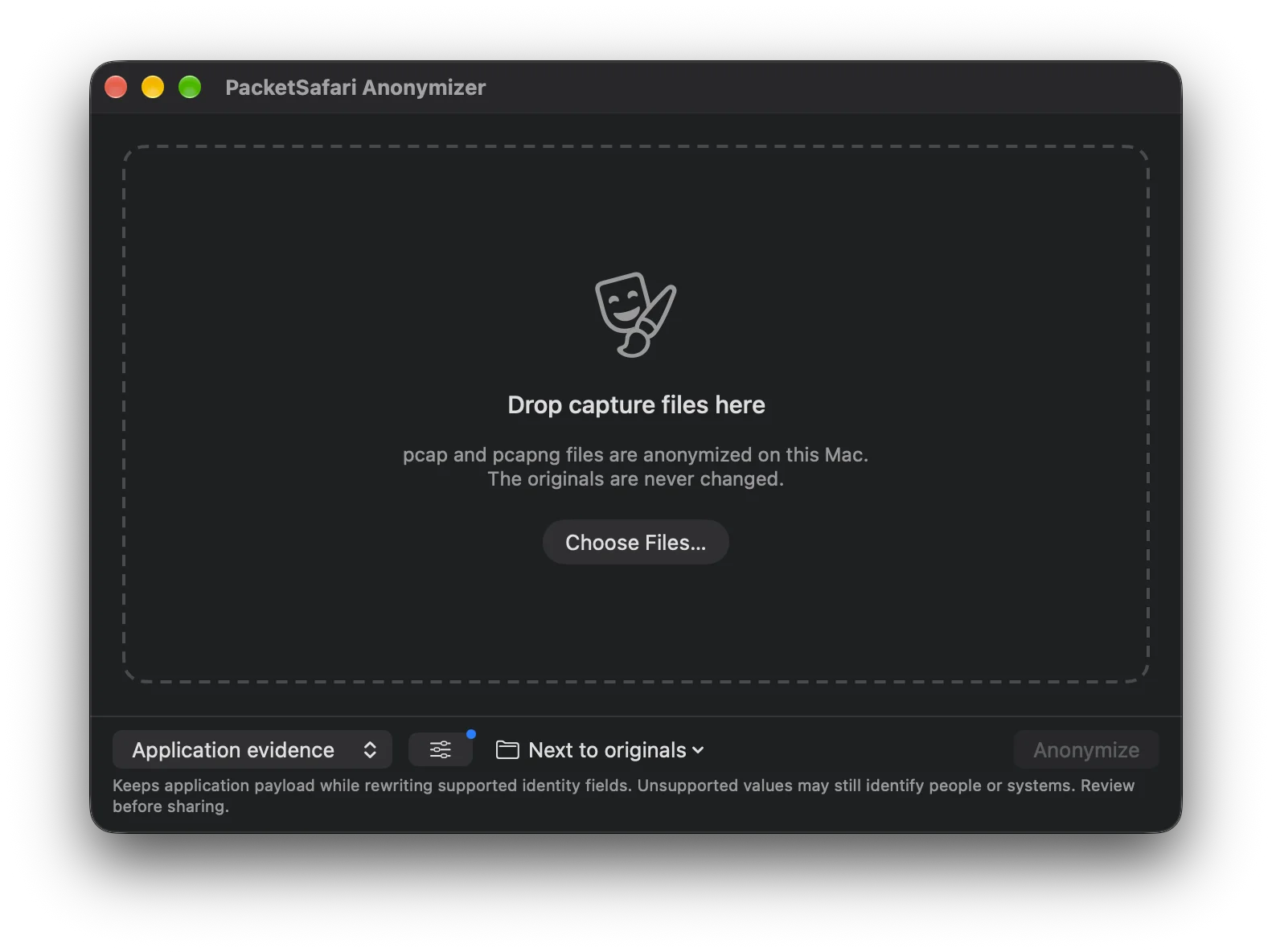
Drop one or more pcap or pcapng files into the window, or choose them from disk. The app runs the bundled anoncap engine on your machine and writes an anonymized copy next to the original, or to a folder you choose. The original is never changed, and nothing is uploaded.
You pick one of two treatments:
- Network evidence (default) rewrites network identities and removes application payload after the link, network, and transport headers. Timing, packet sizes, TCP behavior, handshakes, and routing structure stay intact. Use it for connectivity, loss, latency, and retransmission questions.
- Application evidence keeps application payload and rewrites identity fields in the protocols the engine supports. Use it when the question is in HTTP, DNS, SIP, or another application protocol, and review the result before sharing: values in unsupported or custom protocols may still identify people or systems.
Every run keeps its replacement map inside the app, not next to the capture, because the map is the key that re-identifies the data. From a file's results you can see what was replaced, grouped by addresses, devices, names, and accounts. Translate back takes a report, a ticket, or an AI assistant's answer about the anonymized capture and restores the original values, so the answer is useful to you without the capture ever carrying them.
The app uses the same anonymization rules profile as PacketSafari's own upload pipeline.
anoncap CLI 4.7.3 (20261007)
The open-source command-line engine is available for Linux x64, macOS Apple silicon, macOS Intel, and Windows x64. This release also fixes the macOS Apple silicon bundle: the previous build was stopped by macOS at launch because its bundled libraries were not correctly signed. The bundle is now re-signed during packaging, and the packaging fails if any signature does not verify.
Download
Both downloads are on the anoncap page:
- the Anonymizer app for macOS (Apple silicon, macOS 14 or later, notarized) and Windows 10 and 11 (x64 installer or portable zip)
- the anoncap CLI bundles, with release notes and checksums
The Windows installer is not yet code-signed, so Windows SmartScreen may ask you to confirm before it runs. Checksums for every file are published next to the downloads.
Anonymization reduces what a capture exposes. It does not make every capture automatically safe to share or replace your data-handling policy. Review what you send, especially when you keep application payload.